Don’t Be a Statistic
Consider the numbers: in Australia alone, the number of remote office workers surged to 41% in February ’21 from 24% in March ’20. The Australian Bureau of Statistics revealed they see this trend continuing. Furthermore, a recent study conducted by a chiropractic association found that 92% of respondents reported an increase in musculoskeletal conditions, particularly back and neck pain, due to patients’ working from home. Follow-up data revealed that 57% of the respondents said the general lack of ‘moving about’ was a major contributing factor, followed by psychological stress (20%) and poor posture at 12%. With this forecast and trends, it is easy to see that musculoskeletal back and neck pains will be on the rise.

You Gotta Move It
While there’s limited movement in a work-from-home setup, it shouldn’t hinder you from achieving optimum health. Sure, it is pretty inviting, this concept of getting up from your bed, brushing your teeth, and ‘reporting’ for work still in your jammies. Bathing is optional; breakfast is not a rushed affair, no hideous traffic or long commutes to contend with—that’s working from home for most. But taking all those morning rituals away took away movement as well, the myriad things that stretch our muscles and get our blood flowing in the morning. The quick fix: get up early, take a quick shower, prepare breakfast (for yourself and your family), and walk around the house. Do things as if you’re going to work because, in reality, you are going to work—it’s just that work is in the dining room. Or living room. Or bed…?
Location, Location, Location
Yes, location matters, but, no, this does not have anything to do with your property value. Rather, it has everything to do with your physical, mental, and overall well-being.
Where we do our work matters a great deal. Unless your company has equipped you with an ergonomic workstation set up, your home office would most likely consist of a flat table and a non-adjustable, hard-backed chair. Worse, you sit on the hard floor, and your coffee table is your work desk.
Straighten Up
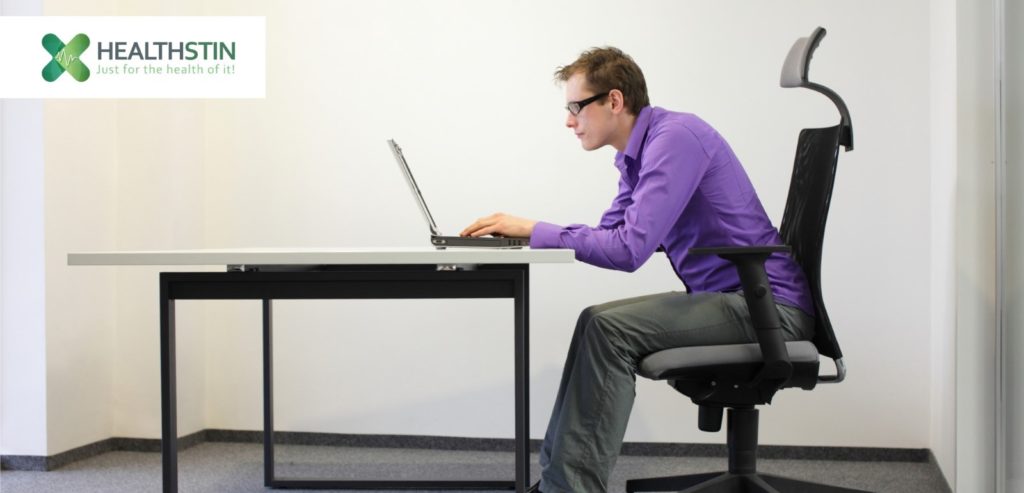
You’ve heard this a million times growing up—stand up straight. Sage advice—our elders were probably speaking from experience. Postural dysfunction (or what we commonly refer to as ‘poor posture’) is when our spine is out of its neutral alignment position which causes pressure build-up in the vertebrae and joints and muscles in the back. If you’ve been having persistent back or neck pain, you most likely have postural dysfunction. Read on to know how to correct this.
How to tell if you have poor posture?
To check if you have poor posture, do the wall test.
- Stand against a wall with your heels two to four inches away from the wall.
- Try to slide your hand between your lower back and the wall. If there is a 5 cm gap between your lower back and your neck, that’s a sign that you have a correct lower back curve.
- If you notice that the space between your lower back and the wall is more than 5 cm, tuck your belly toward your spine. This movement flattens the curve and moves your lower back closer to the wall.
- On the other hand, if there is too little space between the back and the wall, arch your back slightly forward so your hand can slide in.
- Now, walk forward while keeping this posture. Try and maintain this throughout the day. You can always return to the wall and check if you are still holding the proper posture.
Let us share with you three easy steps to prevent poor posture when you’re working from home.
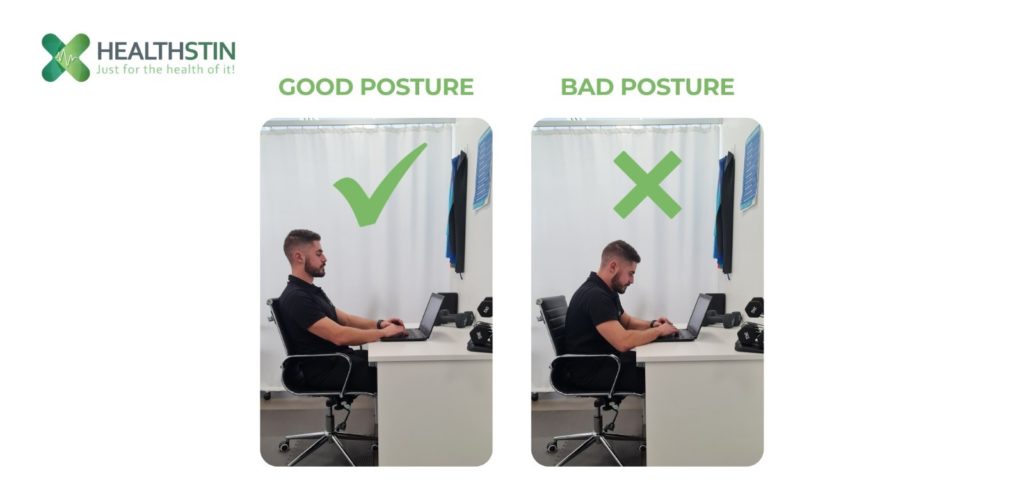
1. Have an ergonomic workstation setup to maintain a proper sitting posture
Sometimes it is not the length of time we spend sitting down in front of our computer that contributes to poor posture—it could also be how you position your body in a seated position. You can achieve the proper sitting position easier if you have an ergonomic workstation setup. To do this,
- Adjust your chair’s height and keep your feet flat on the floor and your hamstrings parallel to the ground. An ergonomic chair would do wonders in correcting common sitting problems caused by unsuitable chair height.
- Position your monitor an arm’s length away and keep it 1-2 inches below your comfortable line of sight. In addition, your mouse should be within reach with your elbow at 90 degrees.
- If you are utilising other work equipment such as a stapler, notebook, etc., make sure these are accessible from where you are sitting at your desk.
- You can also maximise the value of ergonomics by investing in an ergonomic table and chair, a separate ergonomic keyboard as you’re most likely using a laptop, an ergonomic laptop stand to elevate the screen to eye level, and an ergonomic wrist pad to prevent carpal tunnel syndrome.
2. Stand up and stretch
Frequent breaks are necessary, especially when sitting for prolonged periods. Laskowski (2020) reported that individuals working at home should break their extended sitting hours by walking, standing, or exercising every thirty (30) minutes. Below are simple exercises that can help stretch the muscles to attain and maintain proper posture.
1. Child’s pose
Child’s pose is a simple stretch that targets your spine, glutes, and hamstring to release the tension in your lower back, legs, and neck.
- Sit on your shinbones and put your knees together.
- Fold forward with your forehead almost touching the floor.
- Slowly walk your hands out in front of you.
- Breathe deeply for five minutes and allow your body to fall into the pose.
2. Cat and cow stretches
Cat and cow stretching eases pressure on your shoulders, neck, and torso. It can also help promote blood circulation and enhance the flexibility of your spine.
- Begin with a 4-point kneeling position on the mat or floor.
- Cow pose. Drop your abdomen towards the mat with your chest, chin, and gaze lifted towards the ceiling, then inhale deeply.
- Continue into cat pose by arching your back toward the ceiling and tucking your belly into your spine. Exhale slowly.
- Alternate between the two for 20 reps.
3. Chest opener
The chest opener stretches the muscles of the chest and shoulders. This movement can help relieve stress in your neck and strengthen the upper back and shoulders. To do this:
- Sit upright, feet flat on the floor and legs apart.
- Interlace your hands behind your head.
- Open your chest by pulling your shoulder together.
- Hold pose for about thirty seconds and repeat three times.
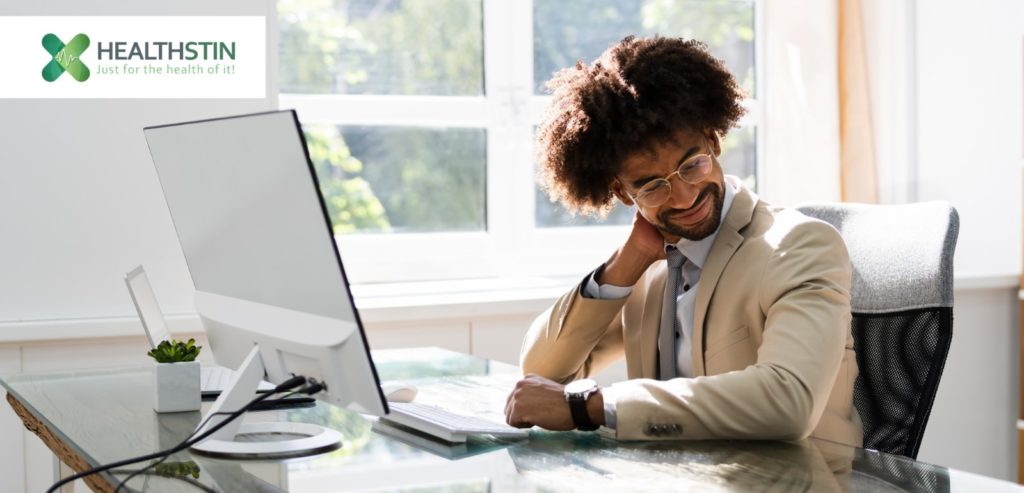
3. Be mindful of the signs of poor posture.
Locked in on your work tasks for eight or so hours straight is detrimental to your overall health, so be wary of the signs of poor posture. Here are some of them:
- Head leaning forward or backward
- Body aches and back pains
- Headache and migraine
- Rounded shoulders
These indicators are easy to miss, especially if we’re not consciously looking out for them. Listen to your body, and pay attention to those aches and pains, this is your body’s way of telling you that there’s something wrong.
Begin Again
Now that you know all about postural dysfunction, how to correct it through exercise and good work from home set-up, you can have a more productive, healthier time working from the comforts of your home. But, even if you do go back to the office, keep these nuggets in mind so you can maintain your spine’s health and avoid back and neck pains. For more information on how to stay active and practice proper posture in your workplace, we’ve included this link for your reference.
Should you, however, need professional help to correct postural dysfunction, we highly recommend seeing an Accredited Exercise Physiologist to guide you in improving your posture. Your professional Exercise Physiologist can help you track your progress and give you expert and personalised advice about exercise plans, remedial massage services, and safe and effective acupuncture.
You may book an appointment with our Accredited Exercise Physiologist today!